









How to Make a Zombie Couple Video

Zombie Couple Video turns two photos into a 15-second 720p AI zombie couple video with sound for $6.90, with one free re-roll and automatic refunds if generation fails.

Who turns?

Half-body photos work best; a clear headshot also works (we’ll dress you for the apocalypse). One adult per photo, face clearly visible.

Format
Style

One partner turns, the other can’t shoot — they hug.

No sign-up to upload. Sign in with Google only when you pay. 15s HD video with sound for $6.90.

Real samples · 15s · 720p · sound

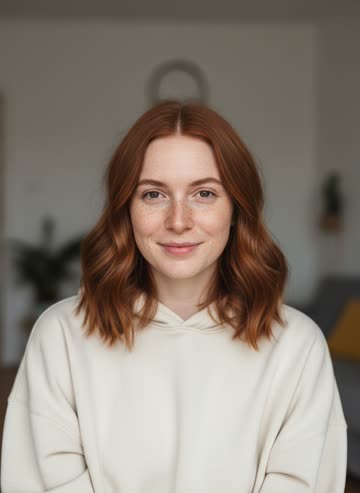
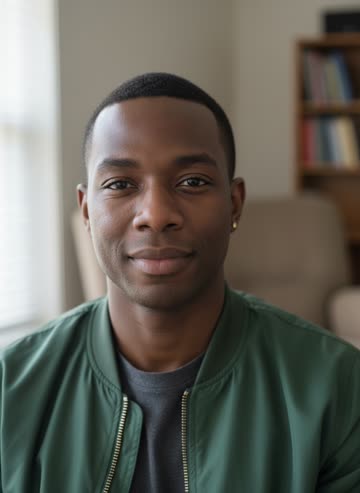
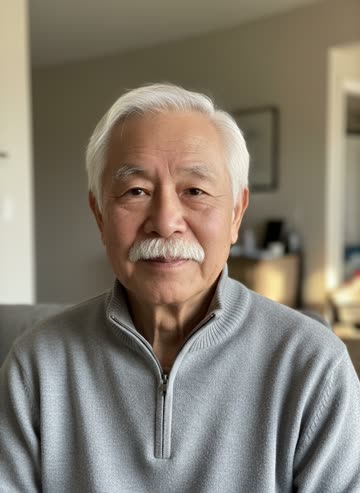
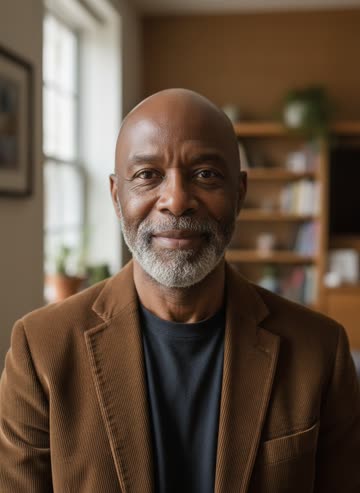
Made by this generator from the two photos on each card (AI-generated fictional people). Hover or tap to play.

▶
Input: survivorInput: turns zombie
Couple · Take 1
▶
Input: survivorInput: turns zombie
Couple · same photos, second take · Take 2
▶
Input: survivorInput: turns zombie
Besties
▶
Input: survivorInput: turns zombie
Couple
▶
Input: survivorInput: turns zombie
Couple
▶
Input: survivorInput: turns zombie
Mother & adult daughter (bestie style)
▶
Input: survivorInput: turns zombie
Old friends (bestie style)
▶
Input: survivorInput: turns zombie
Couple, 40 years on
A zombie couple video takes two photos and about five minutes. Here is the whole process, with the generator right above.

Quick answer

Upload one photo of each person, choose who turns zombie and the format, sign in with Google at the pay step, and pay $6.90. You get a 15-second 720p zombie couple video with sound in a few minutes.

Step by step

  1. Pick two photos. Choose one clear, front-facing photo of each person (adults only, one person per photo, JPG/PNG/WebP). Similar lighting helps.
  2. Upload without an account. Upload both photos in the generator and tick “I have permission to use these photos; no minors”. Your photos are saved.
  3. Choose who turns, style and format. Use the “Who turns?” toggle to pick the zombie, choose couple or bestie, and 9:16, 16:9 or 1:1.
  4. Sign in with Google and pay. Sign in only at the pay step: 15s for $6.90, or 5 takes for $24.90.
  5. Download, edit and post. The 15-second 720p video with sound renders in a few minutes. Not happy with the take? Use your free re-roll. Add captions in CapCut or the TikTok editor and post with #zombiecouple.

What you need

  • Two photos, with permission from everyone shown (adults only)
  • A browser on your phone or desktop
  • Optional: CapCut or the TikTok editor for music and captions

Caption ideas

  • “If you turned, I still wouldn’t shoot 🧟‍♀️💔”
  • “POV: the zombie apocalypse can’t break us”
  • “Even as a zombie, he’s still my person”

Common mistakes

  • Tiny faces. Crop the photos so faces fill a good part of the frame.
  • Too much prompt. Short extra directions work better than long stories.
  • Sunglasses or heavy filters. They make the faces harder to keep recognisable.
  • Posting gore. Keep it emotional, not graphic, for better reach.

Need prompt ideas for other tools? See the prompt list. Making one for Halloween? See the Halloween zombie video page, or compare tools on the zombie couple video comparison.

FAQ

How long does it take to make a zombie couple video?

Uploading takes a minute. Rendering the 15-second video usually takes 3–6 minutes.

Can I make it on my phone?

Yes. The generator works in any mobile browser; upload straight from your camera roll. No app needed.

Can I make it with a best friend instead of a partner?

Yes. Pick the bestie style; the story is the same with a best-friend embrace at the end.

What if the render fails?

The credit is refunded automatically if a render fails or is stuck for more than 30 minutes.