



Zombie AI video generator

Halloween Zombie Video Generator: Make Your Partner a Zombie for October 31

Spooky-season edition of the trend: the AI handles the transformation from an everyday photo, so no make-up or props are needed.

  • 30s premium with voiceover · $9.90
  • $6.90 per 15s video
  • 15s 720p with audio
  • 2 photos is all it takes
  • Auto-refund if a render fails

1Upload two photos

No sign-up to upload · you pay only at the last step

Who turns?

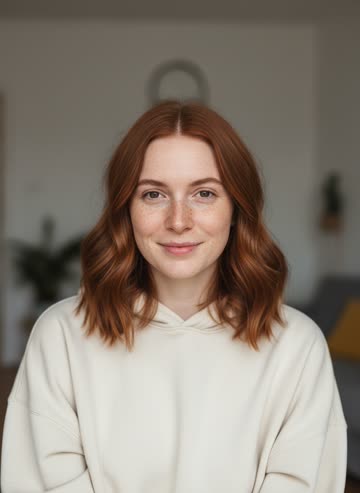
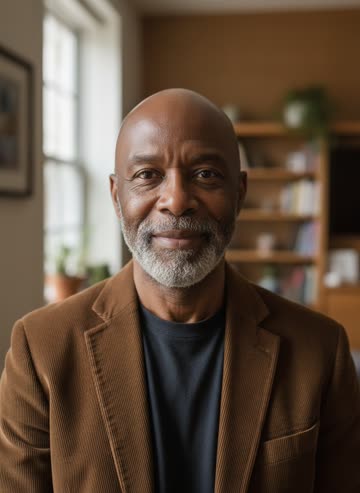
Half-body photos work best; a clear headshot also works (we’ll dress you for the apocalypse). One adult per photo, face clearly visible.

Format
Style

One partner turns, the other can’t shoot — they hug.

No sign-up to upload. Sign in with Google only when you pay. 30s Premium for $9.90, or 15s HD with sound for $6.90.

Real renders

Halloween-ready takes

Couples and best friends, all real renders from AI-generated photos of fictional people.

▶
Input: survivorInput: turns zombie
Couple
▶
Input: survivorInput: turns zombie
Besties
▶
Input: survivorInput: turns zombie
Old friends (bestie style)
This Halloween, skip the costume. Turn your partner or best friend into a zombie in a 15-second AI short film, and end it with a hug.

Halloween timing

Rendering takes 3–6 minutes, so this works even on the night of October 31. For reach, post between October 24 and 31 with #halloween and #zombiecouple.

Halloween zombie video ideas

  • Couples: one partner turns, the other lowers the gun and opens their arms. The classic version of the trend.
  • Best friends: the bestie style keeps the same story with a best-friend hug at the end.
  • Swap who turns: use the “Who turns?” toggle and make two versions for a side-by-side post.

Make it feel like Halloween

  • Wear orange or black in the photos: the clothes carry over into the video.
  • Party photo? A photo taken at a costume party sets the mood, as long as both faces are clear.
  • Add a spooky sound and a jack-o’-lantern sticker in your editor before posting.
  • Make two with the “Who turns?” toggle and post them as a “who would you save?” poll.

More costume and flashback ideas are on the Halloween couple video ideas list.

FAQ

How do I make a Halloween zombie video of me and my partner?
Upload one photo of each of you, pick who turns into the zombie, choose 9:16, 16:9 or 1:1, then sign in with Google and pay $9.90 for the 30s Premium or $6.90 for a 15-second 720p video with sound in a few minutes.
Is it scary or gory?
No. The zombie look is pale skin, milky eyes and faint veins, with no blood or gore. The story ends in a warm hug, which is why it works for couples and best friends.
Will it be ready before October 31?
Yes. A video renders in 3–6 minutes, so you can make it on Halloween itself. Post it in the last week of October, when Halloween searches peak.
Can I add Halloween music or effects?
The video comes with its own soundtrack. For a spookier post, add a Halloween sound, pumpkin stickers or a caption in CapCut or the TikTok editor before posting.
Can I make a Halloween zombie video with my kids or other children?
No. Our terms require everyone shown to be an adult (18+) who agreed to be in the video, so photos of minors are not allowed, including for family Halloween videos.